

Why Is This So Hard to Find?
Steam doesn't have a simple "total spent" page. There's no dashboard, no yearly recap, nothing obvious. But the number is tracked — it's just buried in the trading card system.
Every time you spend roughly $9 in CS2 (on cases, skins, the Steam Market), you earn one card drop. Steam logs every single one. That means you can reverse-engineer your total spending pretty easily.
Follow the 3 steps below and you'll have your number in under a minute.
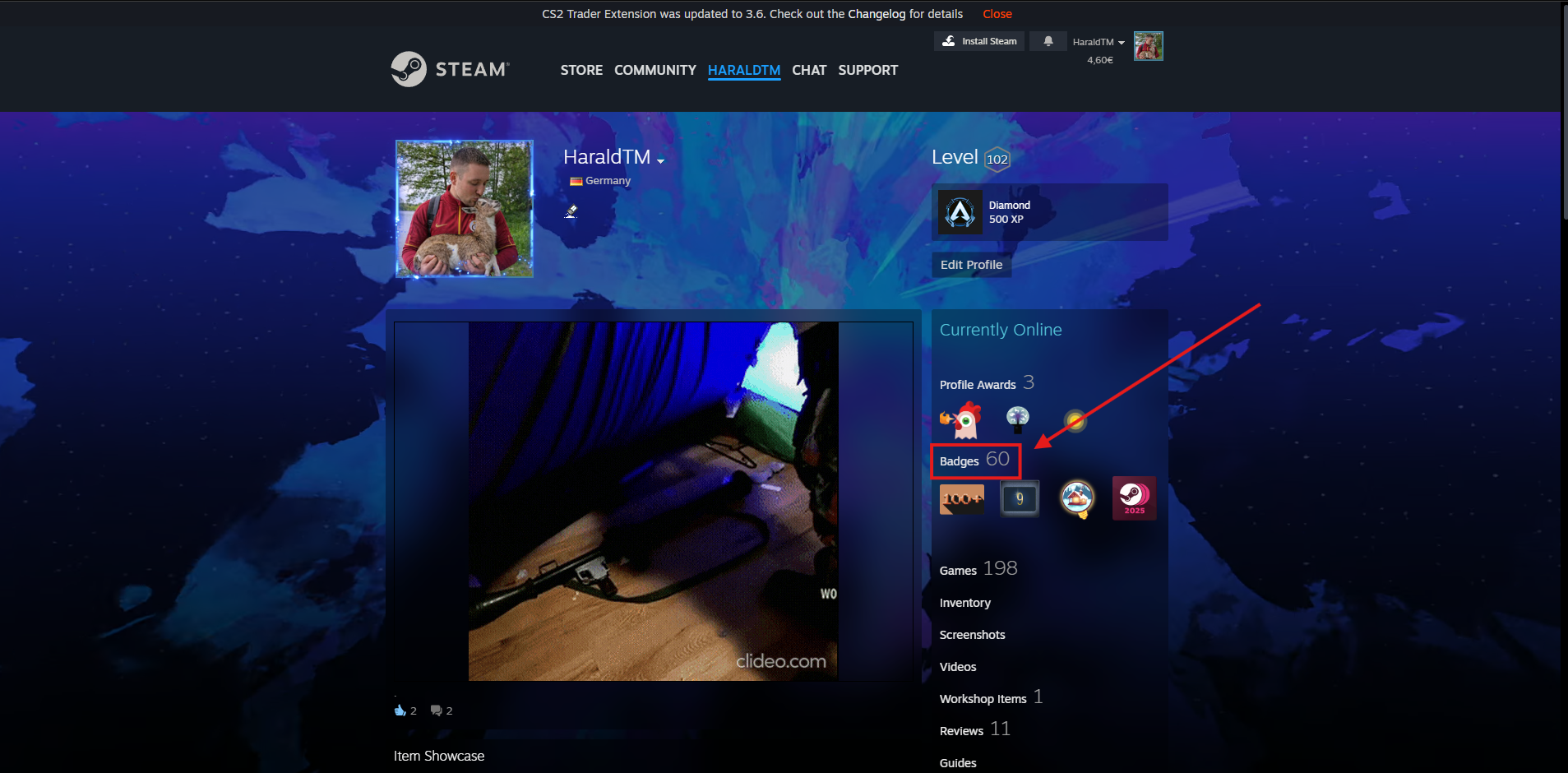
Step 1 — Go to Your Steam Profile and Click Badges
Open your Steam profile in a browser. You can do this by clicking your username in the top-right corner of Steam and selecting View my profile, or just go to steamcommunity.com and navigate to your profile.
Once you're on your profile page, look for the Badges button — it's in the row of tabs just below your profile header.
Step 2 — Scroll Down and Find the CS2 Badge
Your Badges page will show every game badge you've earned. Scroll down until you find the Counter-Strike 2 badge. It should show something like "Global Sentinel, Level 5" depending on how much you've played.
Next to the badge you'll see a line that says "X card drops remaining" with a small link that says "How do I earn card drops?" — click that link.

Step 3 — See Your Total Spending
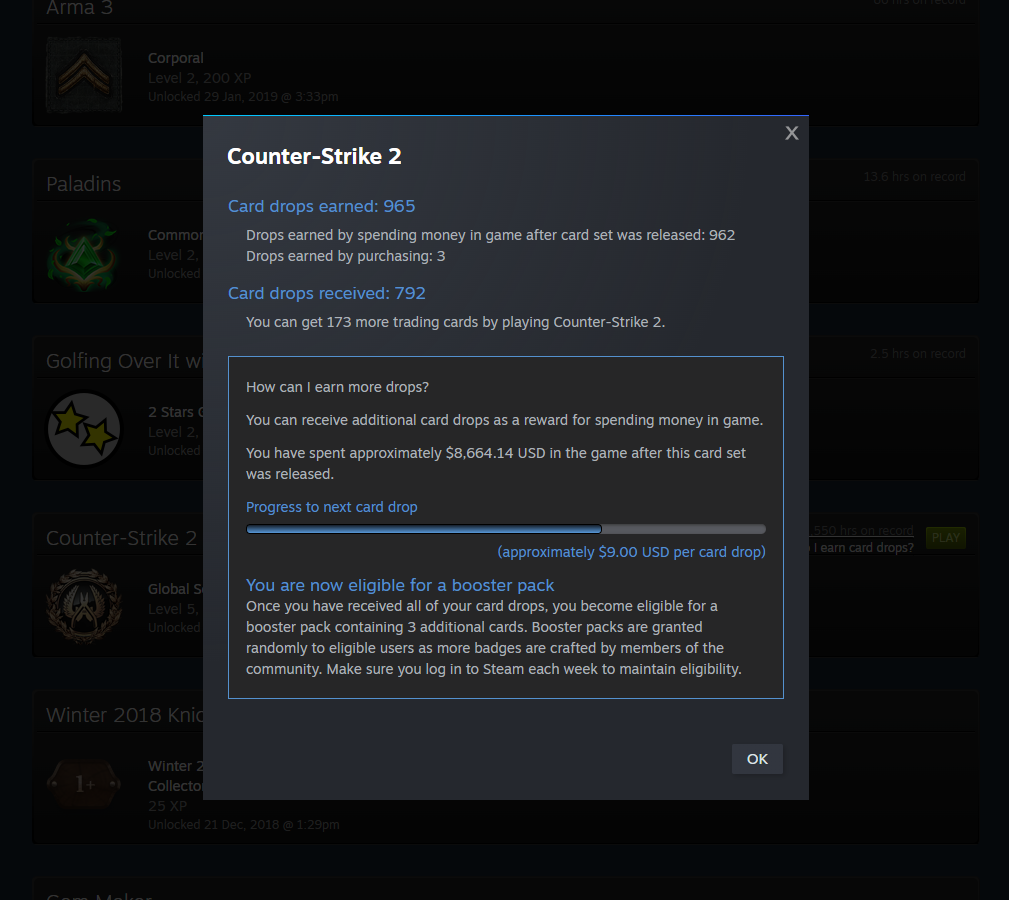
A small popup will appear. At the top it shows your Card drops earned — and just below that, it breaks down exactly how many of those drops came from spending money in game.
The key line is: "Drops earned by spending money in game after card set was released: X"
Under that, Steam tells you directly: "You have spent approximately $X USD in the game after this card set was released."
📊 What Does the Number Actually Mean?
The figure Steam shows you is money spent directly in-game — this includes:
- Cases opened — every case you've ever bought or opened through Steam
- Steam Market purchases — skins, stickers, and other items bought through the in-game market
- In-game store purchases — Operation passes, capsules, and similar items bought directly
It does not include money spent on third-party sites (CS2 gambling sites, trading bots, or skin marketplaces like Skinport or CS.Money). So if you've ever used those — your actual lifetime spending on CS2 skins is higher than what Steam shows.
😬 Now What?
If the number shocked you, you're not alone. CS2 spending adds up fast — especially if you've been playing for years, opening cases, or buying skins on the market.
A few thoughts:
- Set a monthly limit — decide in advance what you're comfortable spending, and stick to it.
- Avoid opening cases — the expected value on cases is terrible. You're almost always better off buying skins directly.
- Use third-party markets — sites like Skinport or CS.Money often have skins at 10–30% below Steam Market price.
- Only gamble what you can afford to lose — if you use CS2 gambling sites, treat it as entertainment, not investment.